3. Hardware setup
What is in the system
| Part | Description |
|---|---|
| FlyPad basestation (Feeding Multiplexor) | Reads up to 12 arena modules and connects to the PC by USB |
| Arena modules | 4 fly chambers each, with 2 food sensors per chamber and sliding transparent lids |
| USB cable | Basestation to PC |
| OptoPad (optional) | LED module(s) and LED controller(s) with USB cables |
Also needed:
- a heat block to warm agarose-based food at 70 °C
- a repeating pipette and tips (for best results, the Eppendorf Multipette with 50 µL tips)
- a fly aspirator
- 1–2 mL tubes with food aliquots
- an incubator for fly rearing (25 °C, 70 % RH, 12 h light/dark)
Bench and environment
- Use a level bench. Levelling matters: an uneven arena can bias the choice between the left and right food.
- Run experiments at 25 °C and 70 % relative humidity. Low humidity dries the food during the assay.
- Keep the arenas in darkness or dim, controlled light during recordings. Light bleeding onto one side can bias choice.
- Keep phones and other strong electrical noise sources away from the arenas.
- Most importantly, make sure that the arenas are not touching each other.
Assembly
- Mount each arena module on its sensor board so the contacts sit flush.
- Connect the arena modules to the basestation.
- Connect the basestation to the PC with the USB cable.
- For optogenetics, connect each OptoPad controller to the PC by USB and place the LED modules over the arenas. See OptoPad.
First check: are all sensors working?
Before your first experiment, and whenever you change the setup, do a short test recording:
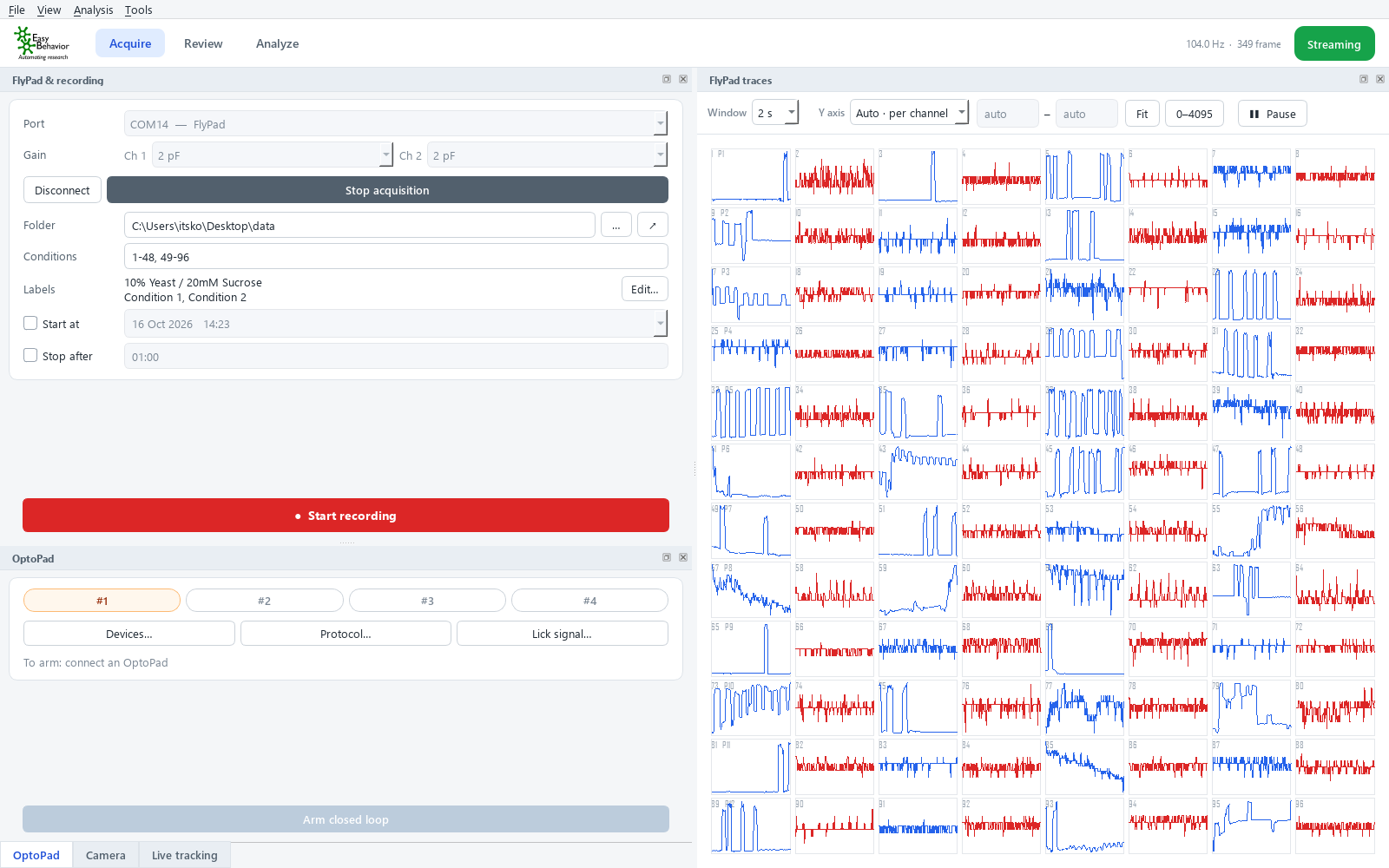
- Start FlyPad Acquisition. On Acquire, click Connect, then Start acquisition.
- Empty arenas: every channel should show a steady trace, flat apart from small noise. A missing trace, or one stuck at the top or bottom of its cell, points to a connection problem.
- With food: load 1 % agarose in distilled water into the wells and watch the live view. Touching the food lightly (or a fly feeding) should give clear steps on that channel.
- A whole row (one module, P1–P12) that stays flat usually means the module or its cable is loose.